
Molo vs Cyberduck on Mac: a simple FTP client or an all-in-one cloud browser?
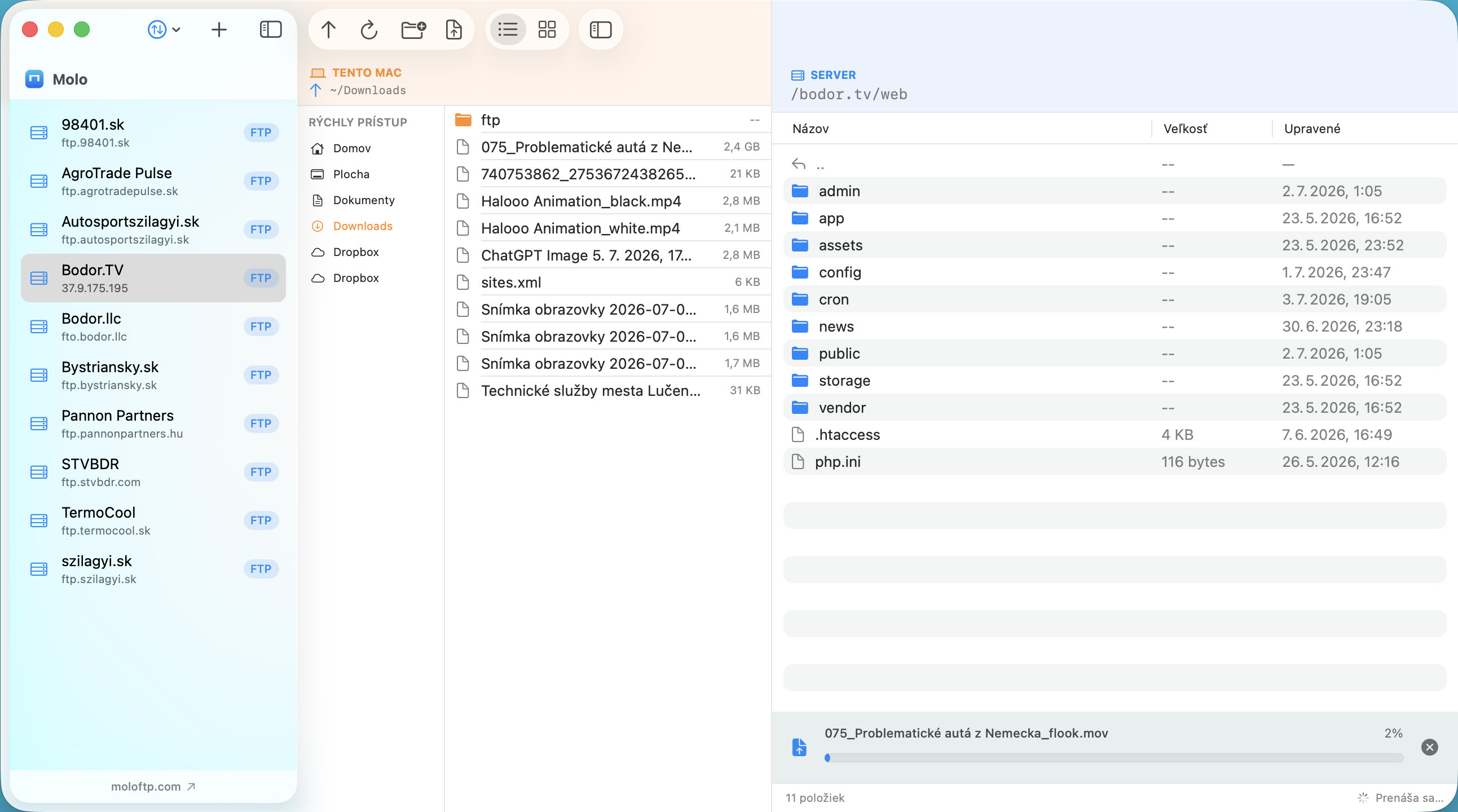
Short answer: Cyberduck is the better pick if you also need cloud storage such as S3, WebDAV or similar services and like a free tool. Molo is the better pick if you mainly move files to FTP, FTPS and SFTP servers and want a focused two-pane app that keeps connections open.
At a glance
| Molo | Cyberduck | |
|---|---|---|
| Platforms | Mac (Apple Silicon, macOS 14+) | macOS and Windows |
| Price | $12 one-time | Free, with optional donation or purchase |
| Protocols | FTP, FTPS, SFTP | FTP, FTPS, SFTP plus WebDAV and many cloud storage services |
| Layout | Server and local Mac side by side | One browser window per connection; files move by drag and drop with Finder |
| Keeps servers connected | Yes, all opened servers, auto-reconnect | Per connection window |
| Passwords | macOS Keychain | macOS Keychain |
| Focus | Simple file transfer | Broad connectivity |
Two different ideas
Cyberduck is a connector for many kinds of remote storage. It shows the remote side as a browser, and you drag files to and from Finder. It is flexible and free, which is why so many people have it installed.
Molo does one job: file transfer to FTP-type servers. Both sides of the transfer are on the screen at once, so you can see what is on your Mac and on the server and drag between them. Every server you open stays connected in the background, so switching between a handful of sites is instant.
Where Cyberduck is stronger
- Free to use.
- Many more services: if you work with S3-compatible storage or similar, Molo cannot replace it.
- Available on Windows too.
Where Molo is stronger
- Dual-pane layout with your Mac and the server side by side, no need to juggle Finder windows.
- Persistent connections to several servers, with automatic reconnect after sleep.
- Quick Access to cloud-synced folders and external drives in the local pane.
- A smaller, simpler interface: fewer menus, fewer settings to wade through.
- Paid software with a 14-day money-back guarantee, and support by e-mail or WhatsApp chat.
Which one should you pick?
- Need S3, WebDAV or other cloud services, or want free? Cyberduck.
- Mostly FTP and SFTP for websites and servers, and prefer a focused two-pane app? Molo.
Comparison written in October 2026 from the vendors' public information and our own use. Features and prices change, so check each vendor's website before you decide. All product names and trademarks belong to their respective owners; Molo is not affiliated with them.
Frequently asked questions
Is Molo better than Cyberduck?
It depends on what you need. Cyberduck connects to many more services and is free. Molo is simpler, uses a dual-pane layout and keeps your servers connected in the background.
Does Molo support Amazon S3 or WebDAV?
No. Molo supports FTP, FTPS and SFTP. If you need S3 or WebDAV, a tool such as Cyberduck is a better fit.
Does Molo use the macOS Keychain?
Yes. Server passwords are stored in the macOS Keychain and are never sent to us.