
Molo vs FileZilla on Mac: which FTP client should you use?
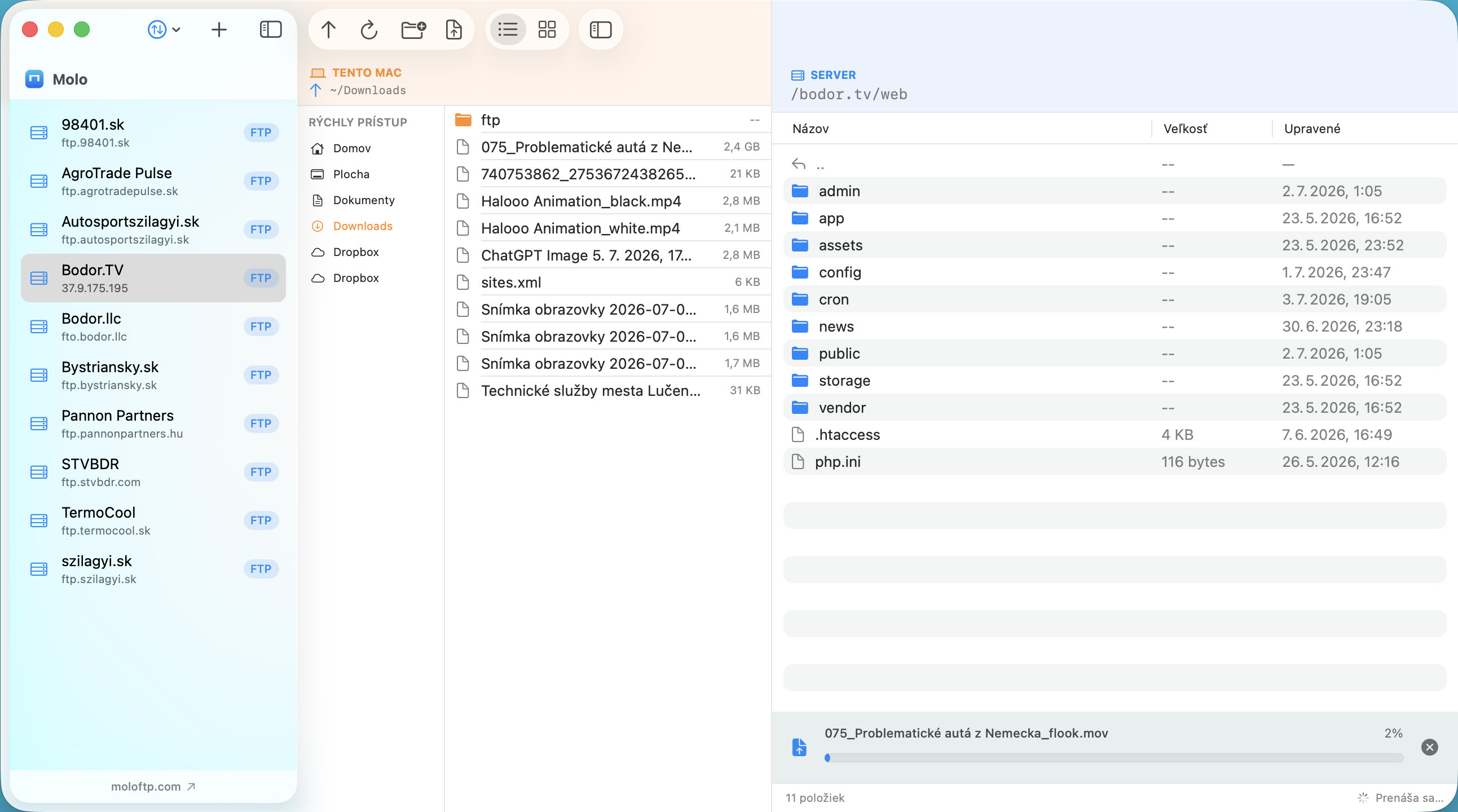
Short answer: choose Molo if you use a Mac and want a clean, simple, native FTP/FTPS/SFTP client you can learn in a minute. Choose FileZilla if you need a free, cross-platform tool with a long list of advanced options, or if you also work on Windows or Linux.
At a glance
| Molo | FileZilla | |
|---|---|---|
| Platforms | Mac only (Apple Silicon, macOS 14+) | macOS, Windows, Linux |
| Price | $12 one-time | Free (open source); a paid FileZilla Pro adds more services |
| Protocols | FTP, FTPS, SFTP | FTP, FTPS, SFTP (more in Pro) |
| Interface | Two panes, native Mac look, light and dark mode | Multi-pane layout with a message log, same on every platform |
| Servers stay connected in background | Yes, with auto-reconnect | Connection handling is configurable per site |
| Passwords | macOS Keychain | Kept in its own settings; a master password can be set |
| Import your sites | Imports and exports FileZilla sites.xml | — |
| Languages | 7 (EN, SK, CS, HU, DE, RU, UK) | Many |
Interface and ease of use
FileZilla is built to look and behave the same on every operating system. That makes it powerful, but also busy: a quick-connect bar, a message log, local and remote trees, file lists and a transfer queue are all on screen at once. Molo takes the opposite approach. It has one sidebar of saved servers and two panes, your Mac on one side and the server on the other, with action buttons placed in each pane's header. If you have used Finder, you already know how to use it.
Molo also follows Mac conventions: native windows, drag and drop to and from Finder and the desktop, Keychain for passwords, and automatic light and dark appearance.
Features that matter day to day
- Staying connected. Molo keeps every server you open connected in the background and reconnects by itself after your Mac wakes from sleep, returning to the same folder.
- Quick Access. The local pane lists Home, Desktop, Documents, Downloads, cloud drives (iCloud Drive, Dropbox, Google Drive, OneDrive, Proton Drive) and external disks as they are connected.
- Moving from FileZilla. Use Import/Export ▸ Import from FileZilla… to bring your saved sites across in seconds.
Where FileZilla is stronger
- It is free.
- It runs on Windows and Linux as well as Mac.
- It offers many advanced settings: transfer queue controls, speed limits, filters and more.
- FileZilla Pro supports additional storage services. Molo focuses on FTP, FTPS and SFTP only.
Where Molo is stronger
- A simpler, native Mac interface with far less clutter.
- Built for Apple Silicon and signed and notarized by Apple.
- Passwords live in the macOS Keychain.
- No analytics and no tracking inside the app.
Which one should you pick?
- Pick Molo if you are on a Mac, manage a handful of websites or servers, and want something fast and uncluttered for $12.
- Pick FileZilla if you want a free tool, need advanced transfer settings, or share the same workflow across several operating systems.
Not sure? Both are easy to try side by side, and Molo comes with a 14-day money-back guarantee.
Comparison written in October 2026 from the vendors' public information and our own use. Features and prices change, so check each vendor's website before you decide. All product names and trademarks belong to their respective owners; Molo is not affiliated with them.
Frequently asked questions
Can I import my FileZilla servers into Molo?
Yes. Molo imports FileZilla's sites.xml file from Import/Export ▸ Import from FileZilla…, and can also export your servers back to that format.
Is Molo a free alternative to FileZilla?
No. FileZilla is free. Molo costs $12 once, with no subscription and free updates within version 1.x.
Does Molo run on Windows?
No. Molo is a Mac-only app for Apple Silicon Macs running macOS 14 or later.