
A simple FTP client for Mac: connect and transfer files in minutes
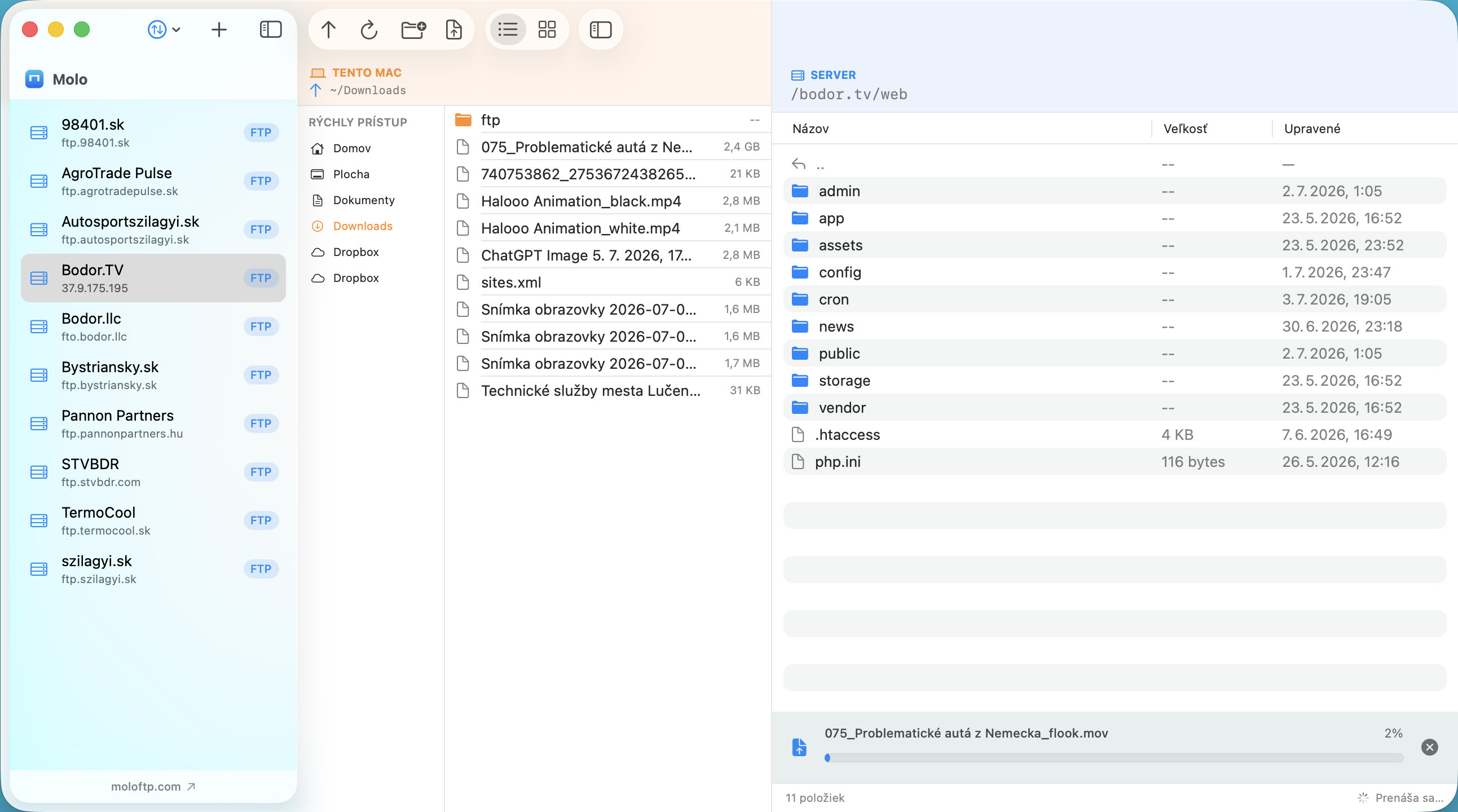
Many FTP clients try to do everything and end up looking like an airplane cockpit. If you only want to put files on your website or server and take them off again, you need something simple. Here is what that means, and how to do it with Molo.
What makes an FTP client simple?
- You add a server once, and it is saved.
- Your Mac and the server are side by side.
- You move files by dragging them, or with obvious buttons.
- It tells you clearly when something fails, and how to fix it.
- Passwords are stored securely, without extra work.
Upload your first file in four steps
- Add the server. Click Add Server and enter a name, the host (for example
ftp.example.com), your username and password. Choose FTP, FTPS or SFTP. Your hosting provider's welcome e-mail lists these details. - Connect. Click the server in the list. A green dot appears when it is connected, and the server's folders show on the right.
- Upload. Drag a file or folder from your Mac onto the server pane. Or select it and click the upload button.
- Download. Drag a file from the server onto your Mac pane, onto the Finder or the desktop.
That is all. Progress appears at the bottom, and you can keep working while files transfer.
If something goes wrong
Molo shows what failed and offers Retry and Edit… buttons on the spot, so you can fix a mistyped host or password without deleting and re-adding the server. If a transfer meets a file that already exists, it asks whether to replace it, keep both or skip.
Handy extras that stay out of your way
- Servers you open stay connected in the background and reconnect by themselves after sleep.
- A Quick Access sidebar for your Desktop, Documents, cloud drives and external disks.
- Switch to a server you used yesterday in one click.
- Move your servers to a new Mac with a backup file, or import them from FileZilla.
Is Molo right for you?
If you manage a few websites or servers and value speed and clarity over a long list of options, yes. If you need cloud storage services such as S3 or WebDAV, see Molo vs Cyberduck. Our user guide covers every feature.
Frequently asked questions
What is the easiest way to upload files to a server from a Mac?
Use an FTP client with two panes. Add your server once, connect, and drag files from your Mac onto the server pane.
Which details do I need to connect?
The host name, username, password and protocol (FTP, FTPS or SFTP). Your hosting provider usually sends these when you sign up.
Are my passwords safe in Molo?
Molo stores passwords in the macOS Keychain on your Mac and never sends them to us.