
How to connect to an FTP server on Mac, step by step
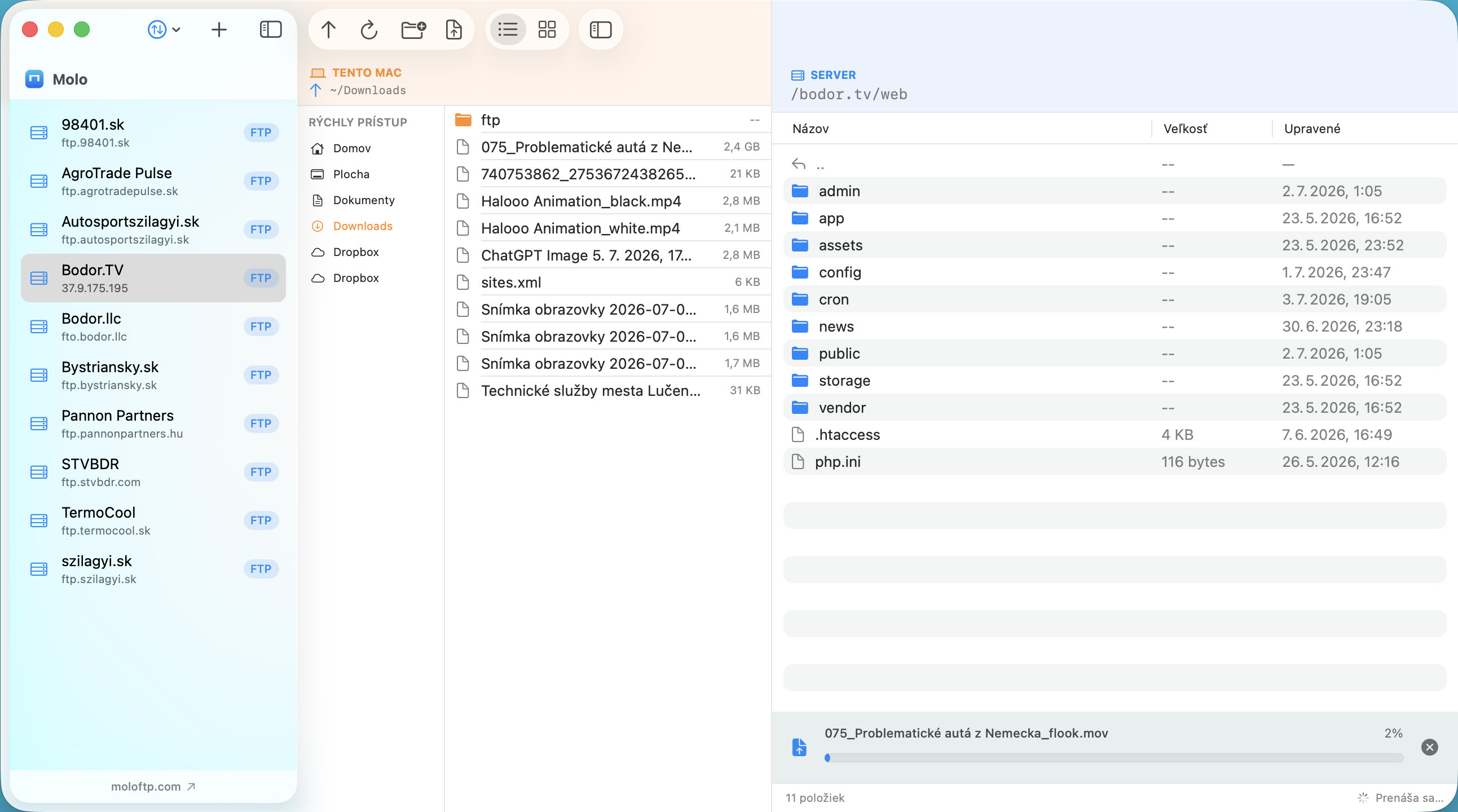
You want to put files on a website or server, or download some. This guide shows how to connect to an FTP, FTPS or SFTP server from a Mac.
What you need before you start
- Host name: for example
ftp.example.com(noftp://, no spaces). - Username and password from your hosting provider.
- Protocol and port: FTP and FTPS usually use port 21, SFTP port 22. Your provider's welcome e-mail or control panel lists them.
Why Finder is not enough
Older versions of macOS let you open an FTP server from Finder with Go ▸ Connect to Server. Recent versions of macOS no longer support FTP in Finder, and Finder never handled SFTP. So you need a dedicated FTP client.
Connect with Molo in four steps
- Add the server. Click Add Server, enter a name, the host, username and password, and choose FTP, FTPS or SFTP.
- Connect. Click the server in the list. A green dot shows it is connected, and you see the server's folders on the right and your Mac on the left.
- Open the right folder. On many hosts your website lives in a folder such as
public_html,wwworhtdocs. You can enter it as the Remote path so Molo opens there every time. - Move files. Drag files between the panes, or use the upload and download buttons.
If it does not connect
- "Could not reach the server": check the host spelling, port and protocol, and that you are online.
- "Login failed": retype the password; some hosts need the full username such as
user@example.com. - Molo shows Retry and Edit… on the error screen, so you can correct the details without removing the server.
More help: fixing FTP connection errors on Mac.
Staying connected
Molo keeps every server you open connected in the background and reconnects automatically, for example after your Mac wakes from sleep. Switching between several servers is a single click. Choose protocols with care: see FTP vs SFTP vs FTPS.
Frequently asked questions
Can Finder connect to an FTP server?
Recent versions of macOS no longer support FTP in Finder, and Finder does not support SFTP, so use an FTP client such as Molo.
What port should I use for FTP on Mac?
FTP and FTPS usually use port 21, and SFTP uses port 22. Use the port your hosting provider gives you.
Where do I find my FTP password?
Your hosting provider's welcome e-mail or control panel lists the FTP host, username and password, and often lets you reset the password.